> ## Documentation Index
> Fetch the complete documentation index at: https://docs.supermisson.fun/llms.txt
> Use this file to discover all available pages before exploring further.
# Create Your Account
> Sign up in under 30 seconds. Email login, smart wallet, no seed phrases. You'll be ready to trade before your coffee gets cold.
# Account setup — 30 seconds, no seed phrases
Supermission uses [Privy](https://privy.io) for authentication. That means you sign in like a normal app — email, Google, or connect an existing wallet. No MetaMask popups. No 12-word backup rituals.
A smart wallet gets created for you automatically on Base. It's yours. You control it. We just made the UX not terrible.
Open your browser and navigate to [supermission.fun](https://supermission.fun).
Find the **Launch Terminal** button in the top-right corner of the landing page. Click it to open the app.
A login modal will appear. Pick one:
* **Email** — enter your email address and verify with a one-time code sent to your inbox
* **Google** — one-click OAuth sign-in, fastest option
* **Existing wallet** — connect MetaMask, Coinbase Wallet, or WalletConnect
All three create the same type of account. Pick whatever's fastest for you.
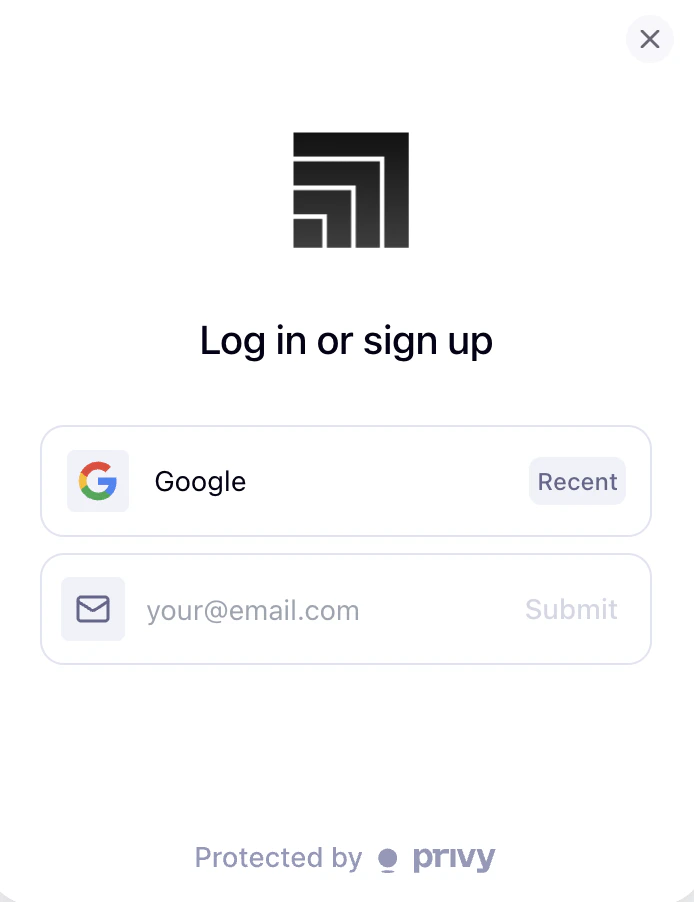 If you chose email, check your inbox for a verification code and enter it. If you chose Google, approve the OAuth prompt. If you connected a wallet, sign the message in your wallet app.
Once authenticated, a smart wallet is generated for you on Base. This happens in the background — you don't need to do anything. Your wallet address appears in the top-right corner of the terminal.
That's it. You're now looking at the terminal. Browse markets, check AI signals, or [fund your wallet](/getting-started/fund-wallet) to start trading.
Your smart wallet is an on-chain account on Base. It's non-custodial — we never hold your keys. Privy's embedded wallet infrastructure handles key management with hardware-level security.
## What's a smart wallet?
It's an on-chain account that acts like a regular wallet but with better UX:
* **No gas management** — transactions are sponsored, you never pay gas
* **No seed phrases** — key recovery is handled through your login method
* **No chain switching** — we bridge assets behind the scenes when needed
* **Batched transactions** — multiple operations can happen in a single click
While your wallet is non-custodial, Supermission is in beta. Don't deposit more than you're actively trading with.
If you chose email, check your inbox for a verification code and enter it. If you chose Google, approve the OAuth prompt. If you connected a wallet, sign the message in your wallet app.
Once authenticated, a smart wallet is generated for you on Base. This happens in the background — you don't need to do anything. Your wallet address appears in the top-right corner of the terminal.
That's it. You're now looking at the terminal. Browse markets, check AI signals, or [fund your wallet](/getting-started/fund-wallet) to start trading.
Your smart wallet is an on-chain account on Base. It's non-custodial — we never hold your keys. Privy's embedded wallet infrastructure handles key management with hardware-level security.
## What's a smart wallet?
It's an on-chain account that acts like a regular wallet but with better UX:
* **No gas management** — transactions are sponsored, you never pay gas
* **No seed phrases** — key recovery is handled through your login method
* **No chain switching** — we bridge assets behind the scenes when needed
* **Batched transactions** — multiple operations can happen in a single click
While your wallet is non-custodial, Supermission is in beta. Don't deposit more than you're actively trading with.