> ## Documentation Index
> Fetch the complete documentation index at: https://docs.supermisson.fun/llms.txt
> Use this file to discover all available pages before exploring further.
# Place Your First Trade
> From browsing markets to holding a position in under a minute. Here's the exact flow.
# Your first trade — step by step
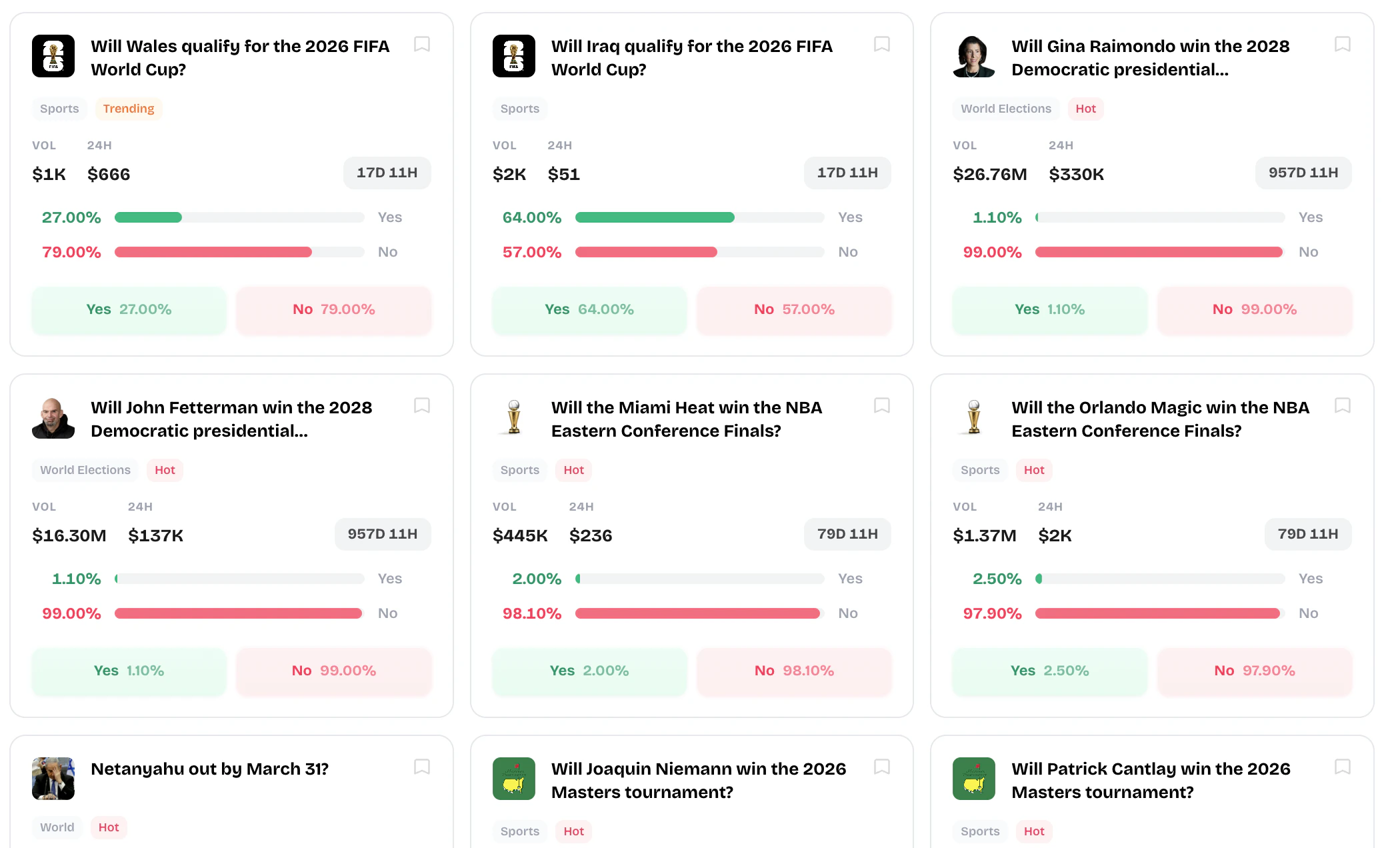 You've got an account and USDC in your wallet. Time to put a position on. The whole flow takes about 30 seconds once you know what you want to buy.
The main terminal shows active markets sorted by volume, trending, or category. Use the search bar or filters to find something that interests you — politics, crypto, sports, culture, whatever.
Or check the **AI Signals** tab for markets where the AI thinks the price is wrong.
Scroll through the market cards or use the search bar to find a specific event. Each card shows the market question, current YES/NO prices, and volume.
You've got an account and USDC in your wallet. Time to put a position on. The whole flow takes about 30 seconds once you know what you want to buy.
The main terminal shows active markets sorted by volume, trending, or category. Use the search bar or filters to find something that interests you — politics, crypto, sports, culture, whatever.
Or check the **AI Signals** tab for markets where the AI thinks the price is wrong.
Scroll through the market cards or use the search bar to find a specific event. Each card shows the market question, current YES/NO prices, and volume.
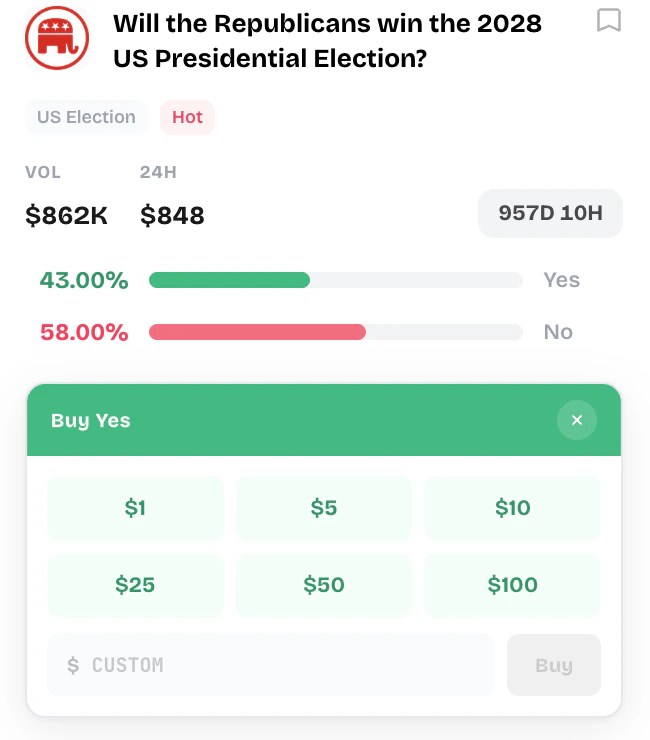 Click any market card to open the detail view. Here you'll see:
* Current YES/NO prices
* Volume and liquidity
* AI signal (if one exists)
* Resolution date and source
* Recent price history
This is the core decision. If you think the event **will** happen, buy **YES**. If you think it **won't**, buy **NO**.
The price tells you the market's implied probability. YES at 65¢ means the market thinks there's a 65% chance the event happens.
Type how much USDC you want to spend. The interface shows you:
* **Shares you'll receive** — how many outcome tokens you get
* **Average price** — what you're paying per share
* **Potential return** — what you get if you're right (`$1` per share)
* **Potential profit** — return minus your cost
Double-check the side (YES/NO), amount, and expected shares. Then hit **Confirm**. The trade executes against Polymarket's orderbook — market orders fill immediately at the best available prices, limit orders wait until the market reaches your price.
Your position appears in the **Portfolio** tab. You'll see your entry price, current value, unrealized P\&L, and time until resolution. The market card also shows a live position indicator when you hold shares.
Start with a small trade (`$5-10`) to get the feel. Markets with high volume and liquidity will have tighter spreads and better fills.
## What happens after?
Three possible outcomes for your position:
Each share pays out `$1.` If you bought YES at 40¢, you profit 60¢ per share. Head to Portfolio and click **Redeem** to collect your winnings. USDC gets sent back to your wallet.
Your shares are worth `$0.` You lose what you paid. This is the risk — prediction markets are binary. Right or wrong, nothing in between.
You can sell your position anytime before the market resolves. If the price moved in your favor, you lock in profit. If it moved against you, you cut your loss. Selling works the same way as buying — instant execution against the orderbook.
Trades on Supermission execute on Polymarket's Central Limit Order Book (CLOB). Same liquidity, same prices. We just made the interface faster.
Click any market card to open the detail view. Here you'll see:
* Current YES/NO prices
* Volume and liquidity
* AI signal (if one exists)
* Resolution date and source
* Recent price history
This is the core decision. If you think the event **will** happen, buy **YES**. If you think it **won't**, buy **NO**.
The price tells you the market's implied probability. YES at 65¢ means the market thinks there's a 65% chance the event happens.
Type how much USDC you want to spend. The interface shows you:
* **Shares you'll receive** — how many outcome tokens you get
* **Average price** — what you're paying per share
* **Potential return** — what you get if you're right (`$1` per share)
* **Potential profit** — return minus your cost
Double-check the side (YES/NO), amount, and expected shares. Then hit **Confirm**. The trade executes against Polymarket's orderbook — market orders fill immediately at the best available prices, limit orders wait until the market reaches your price.
Your position appears in the **Portfolio** tab. You'll see your entry price, current value, unrealized P\&L, and time until resolution. The market card also shows a live position indicator when you hold shares.
Start with a small trade (`$5-10`) to get the feel. Markets with high volume and liquidity will have tighter spreads and better fills.
## What happens after?
Three possible outcomes for your position:
Each share pays out `$1.` If you bought YES at 40¢, you profit 60¢ per share. Head to Portfolio and click **Redeem** to collect your winnings. USDC gets sent back to your wallet.
Your shares are worth `$0.` You lose what you paid. This is the risk — prediction markets are binary. Right or wrong, nothing in between.
You can sell your position anytime before the market resolves. If the price moved in your favor, you lock in profit. If it moved against you, you cut your loss. Selling works the same way as buying — instant execution against the orderbook.
Trades on Supermission execute on Polymarket's Central Limit Order Book (CLOB). Same liquidity, same prices. We just made the interface faster.